Jova POS Integration
On the Integration page, you can manage various integrations available in Jova POS with other systems such as Jova Accounting, Jova Membership, and others.
1) Integration Page View
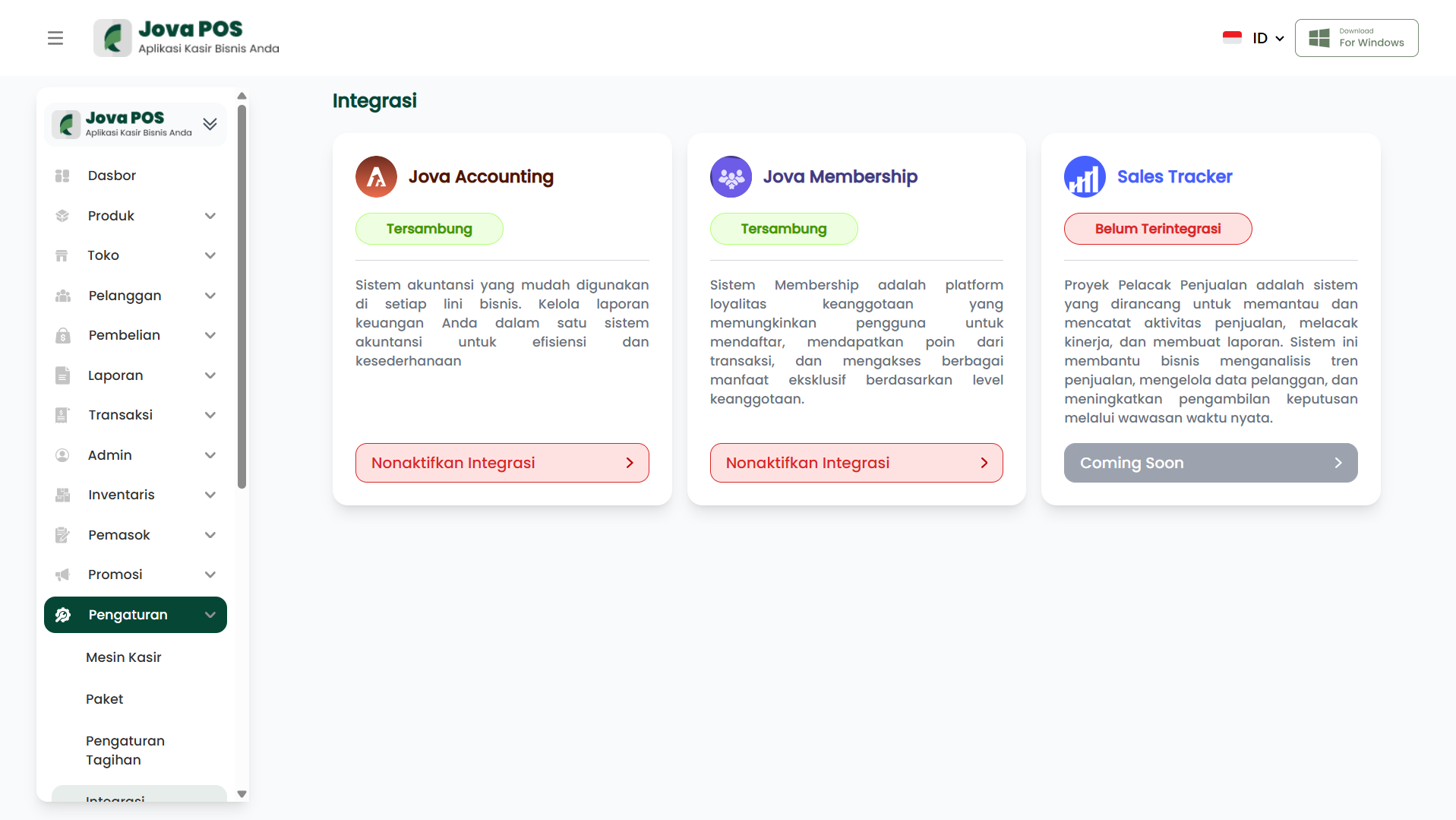
In this section, you will see the integration status of available systems.
Steps:
- Access the Integration page.
- You will see a list of integrations with their respective statuses.
Example Integration Page View:
2) Enabling or Disabling Integration
To manage integrations, you can enable or disable available integrations.
Steps:
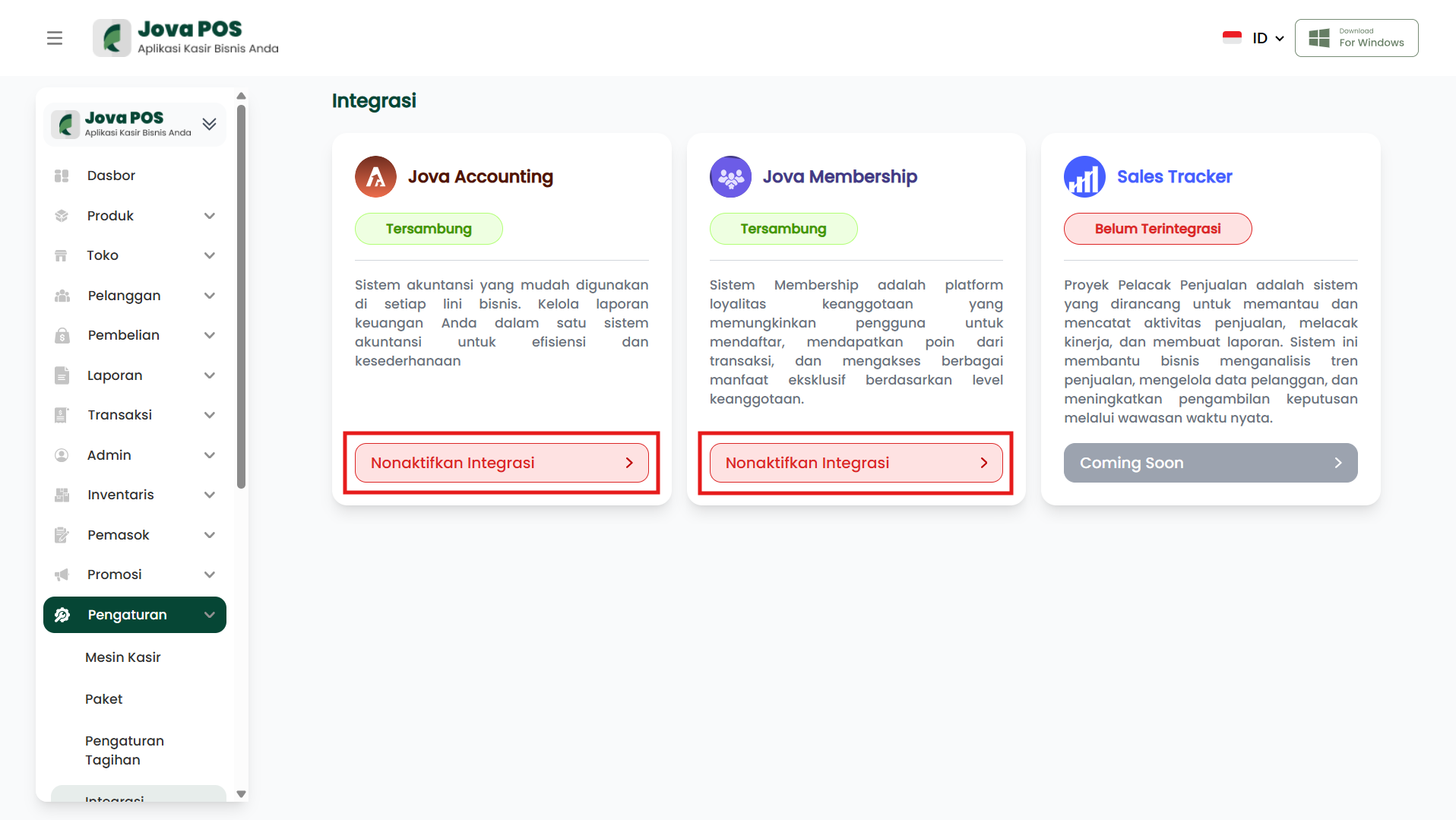
- Select the integration you want to manage.
- Click the Disable Integration button if you want to disable the integration.
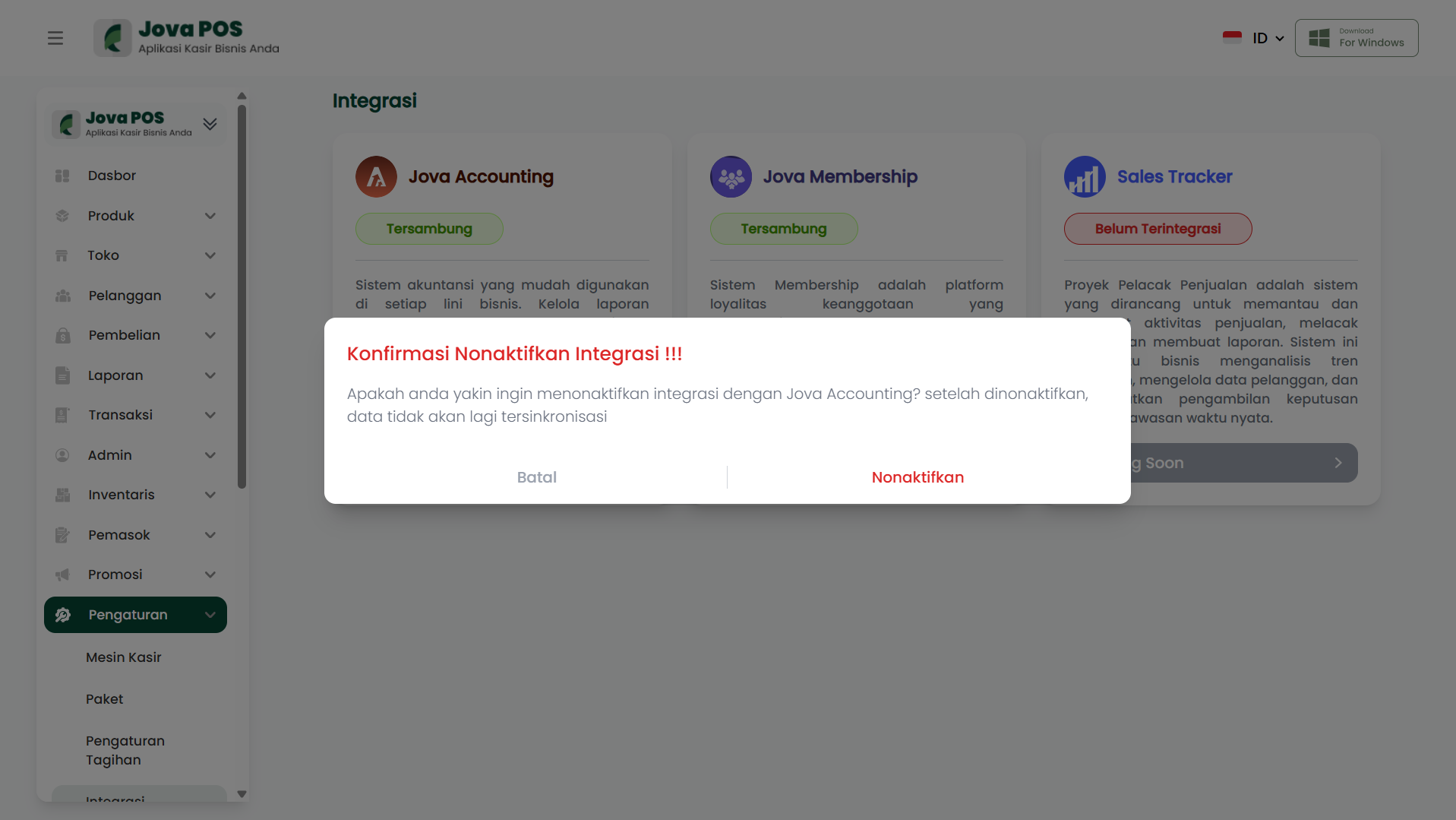
- You will be given a confirmation to ensure you want to proceed with this process.
Example Disable Integration Confirmation:
3) Disabling Integration
If you choose to disable the integration, you will see a display like the one below.
Example View After Disabling Integration:
By following the steps above, you can manage integrations in Jova POS to ensure your POS system is connected to other systems you use, according to your business needs.